Rhythmiq Website
The Marketing website for our AI first platform
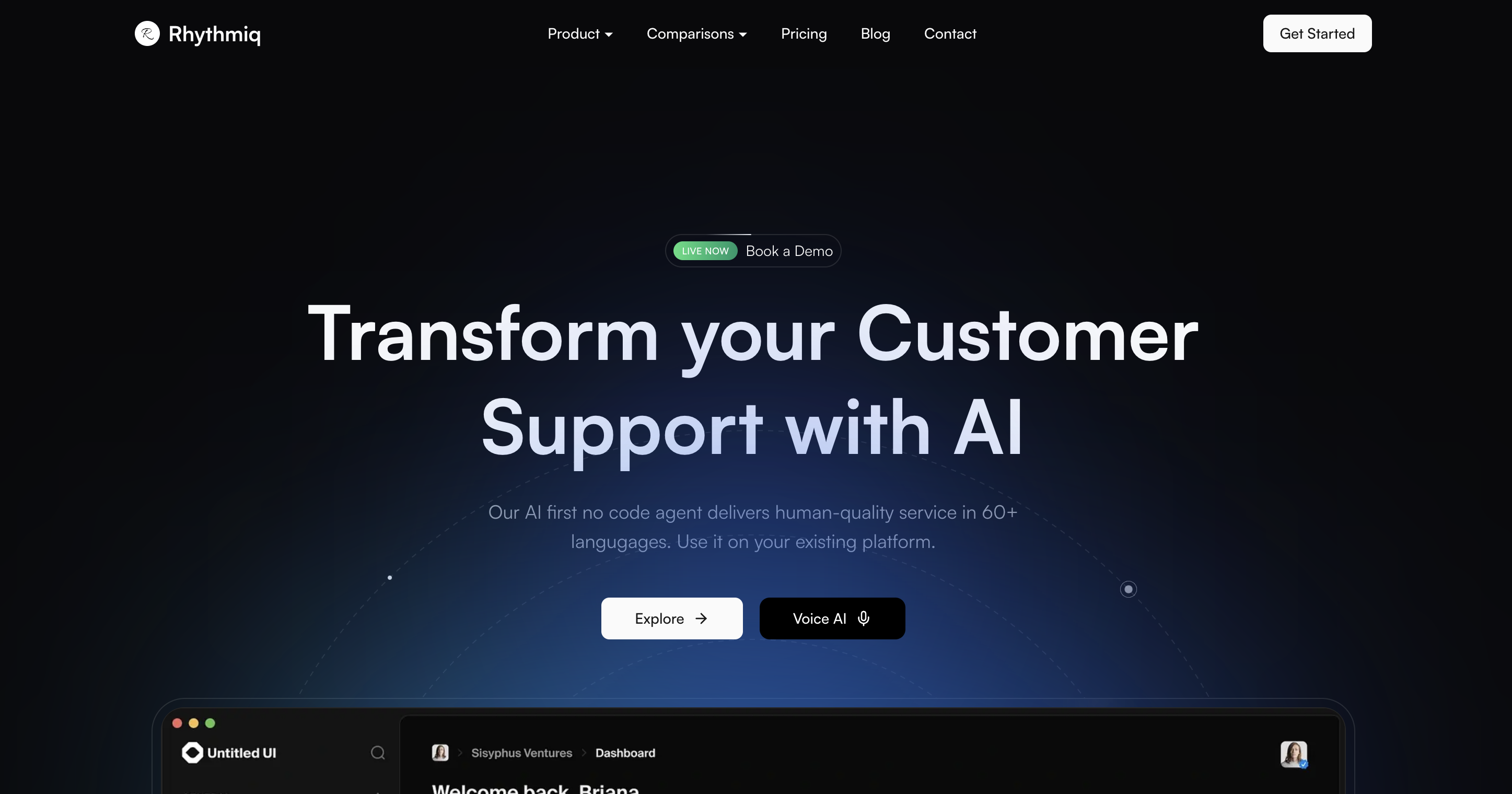
When I first started building the website for Rhythmiq, I wasn’t thinking about using WordPress or Webflow. Those tools work very well, and now that we’re scaling up and pushing blog articles every week, I understand their ease (no coding skills required to make changes). But being the engineer that I am, I started reading about the benefits of server-side rendering in SEO and how we can achieve desirable LCP and loading time metrics on Google PageSpeed Insights and went ahead with a Next.js blog.
Trade-offs being what they are, there are times when I do think about ease of use, yes, but then there are times when I think it’s one of the best decisions we made. Let me tell you why.
Why We Went Custom
I get it that Webflow is beautiful. WordPress has plugins for everything. Squarespace makes it dead simple. But with the amount of control we have over code, we can implement custom solutions and pages inspired by any website we like. It’s the classic engineering problem of losing control over the abstraction layers below you that are doing the work for you. I did take a short tour of the platforms.
Every platform I tried either:
- Made us jump through hoops to add custom scripts
- Charged us extra for “pro” features we needed
- Locked us into their ecosystem in ways that made future changes expensive
- Or just… didn’t perform the way I wanted
Why Custom Made Sense for Us
Control over Everything
The biggest win is that we own every pixel. Want to change how the blog listing works? We just edit a file. Need to add a new animation? It’s already in our component library. Want to optimize the hell out of our SEO? We built our own metadata system. With out of the box solutions, you’re always working within someone else’s constraints.
Performance
Here’s something that doesn’t get talked about enough: most marketing sites are slow. Like, really slow. And when you’re selling AI-powered customer support (where speed is literally our value prop), a slow website is not ideal.
Our custom setup gives us:
- Next.js 15 with React 19 - cutting edge, but stable
- Turbopack for dev experience that’s actually fast
- Server-side rendering for blog posts (no client-side markdown parsing)
- Automatic image optimization with Next.js Image
- Custom font loading that doesn’t block rendering
We’re not fighting against a platform’s bloat. We’re building exactly what we need and nothing more.
No Cost
Webflow is $29/month for their basic plan, $74/month for CMS. WordPress hosting can run $20-50/month, plus plugin costs. And if you need custom features? That’s developer time at agency rates.
Our custom site, It’s just Vercel hosting (which is free for our traffic level) and our own time. No monthly fees. No plugin subscriptions and No “upgrade to pro” walls.
The Special Stuff
Okay, so we went custom. But we didn’t just build a basic site. We built some cool stuff.
Markdown Blog System
Instead of wrestling with a CMS, we just write markdown files. They live in /content/blog, and our Next.js app reads them at build time. No database. So it’s a static website.
We use gray-matter to parse frontmatter, and Next.js handles the rest. Want to add a new blog post? Create a file. Want to filter by category? It’s a simple array filter. Want to generate a sitemap? We built that too.
// It's literally this simple
const posts = filenames.map((fn) => {
  const file = fs.readFileSync(path.join(postsDir, fn), 'utf8');
  const { data } = matter(file);
  return { title: data.title, date: data.date, slug: fn.replace(/\.md$/, '') };
});
No CMS overhead. No database queries. Just markdown files.
Metadata System
SEO is important, but most sites handle it poorly. We built a centralized generateMetadata function that handles canonical URLs, OpenGraph images, meta descriptions, and article metadata automatically. Every page just calls generateMetadata() with its specific data, and we get consistent SEO across the entire site. No plugins. No manual management.
Widget Integration
We can inject our widget loader script conditionally based on environment variables, control exactly when it loads, and integrate it seamlessly with our site.
{rhythmiqWidgetToken && (
  <script dangerouslySetInnerHTML={{
    __html: `(function(d,t){
      var g=d.createElement(t),s=d.getElementsByTagName(t)[0];
      g.src="https://app.rhythmiqcx.com/widget/widget-loader.js?websiteToken=${rhythmiqWidgetToken}";
      g.defer=true;g.async=true;
      s.parentNode.insertBefore(g,s);
    })(document,"script");`
  }} />
)}
The Trade-offs (Nothing’s Perfect)
Look, I’m not going to pretend this was all sunshine and rainbows. There are real trade-offs:
Time Investment: We spent weeks building this. With Webflow, we could have had something up in days. But we’ve now saved more time in maintenance and updates than we spent building it.
Learning Curve: Not everyone on the team can edit the site. But that’s kind of a feature too, I think—we don’t want random people breaking our website.
Maintenance: We own the bugs, but we also own the fixes. We can fix them immediately instead of waiting for a platform update.
Feature Gaps: We don’t have a visual page builder or plugin ecosystem. But we also don’t have plugin conflicts, security vulnerabilities, or the bloat that comes with “everything and the kitchen sink” platforms.
When Custom Makes Sense (And When It Doesn’t)
Custom isn’t always the answer. If you’re a small business that just needs a simple landing page? Use Webflow. If you need a blog and nothing else? WordPress is fine. If you don’t have developers? Don’t go custom.
But if you:
- Need deep integrations with your product
- Care about performance (really care)
- Want full control over SEO and metadata
- Have developers who can maintain it
- Plan to iterate quickly and frequently
Then custom might be worth it. For us, it absolutely was.
The Bottom Line
We built our marketing site from scratch because we needed something that Webflow, WordPress, and Squarespace couldn’t give us: complete control, perfect performance, and seamless integration with our product.
Was it more work upfront? Absolutely. But now we have a site that:
- Loads fast (because we control every byte)
- Integrates perfectly with our widget (because it’s just a code block to be added)
- Scales with us (because it’s just code)
- Costs nothing to host (because we’re not paying platform fees)
I’d say that’s worth way more than the initial time investment.
That’s going to be it. I’d love to hear if you liked the website or not, and if there’s anything you’d like us to change here. Do reach out if you have any questions!
— Ray